7 Essential Tools for Remote Team Productivity
If your team is split across Cairo, Jeddah, and Riyadh, WhatsApp alone is not enough. These seven tool categories keep remote work clear and organized.
By the Hylance editorial team · Updated
Key takeaways
- The real problem in remote work is lack of clarity: who is doing what, and where the latest file version lives.
- Start with the basics: one task board, one organized written channel with threads, and one short weekly meeting.
- Keep files in one place with clear naming, and create one documentation page for each repeated process.
- Time tracking is optional but useful for pricing, and freelancers can cover work that does not justify a full-time hire.
The problem with remote work is not distance. It is lack of clarity: who is working on what, what is delayed, and where the latest version of a file is. The tools below solve those problems if you use them with discipline.
1. Task management
Use one task board, such as Trello, Notion, or ClickUp, so every team member can see what they need to do today. The rule is simple: if a task is not on the board, it does not exist.
2. Async communication
Use an organized written channel with threads, such as Slack, Discord, or Google Chat, instead of one long conversation. Make replies within hours acceptable, not replies within minutes.
3. Short video meetings
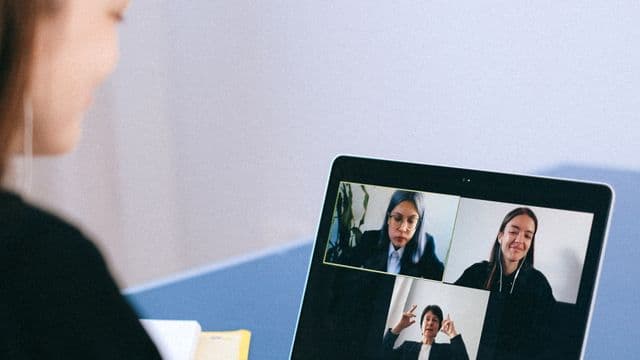
Use Google Meet or Zoom for one weekly meeting with a written agenda prepared in advance. If something can be a message, it should be a message.
4. Keep files in one place
Use Google Drive or OneDrive with a fixed folder structure and clear file names. A file sent in chat gets lost within a week.
5. Internal documentation
Create one page for each repeated process: how you publish on the store, how you reply to a customer, how you issue an invoice. This saves endless questions and makes it easier for a new team member to get started.
6. Time tracking (optional, but useful)
A tool like Toggl or Clockify shows where time really goes and helps you price future projects more accurately.
7. A platform for hiring freelancers
Not everything your team needs justifies hiring an employee. Design, translation, video, store setup: these are services you can buy when needed from a verified seller on Hylance, with protection so the process is not closed until you confirm delivery.
Start with three tools, not seven
Do not introduce every tool in the same week. Start with the task board, the written channel, and the shared file folder, then add the rest once the team gets used to them. A tool that not everyone uses creates more confusion instead of less, because information ends up split between two places.
Rules matter more than the tool itself
- Every task has one owner and one deadline.
- Any decision made in a meeting is written in the channel on the same day.
- Each file has one version in the shared folder, and you send its link, not a copy.
- Use a consistent naming format for files: date, then project name, then subject.
- If someone will miss a deadline, they should note it on the board before the deadline, not after.
How do you choose between similar tools?
| Question | Why it matters |
|---|---|
| Does it support Arabic and right-to-left writing? | If the interface does not display Arabic well, the team will stop using it. |
| Is the free plan enough for your team size? | Many tools are free only up to a limited number of members. |
| Does it work well on mobile? | Part of your team will be checking it from their phone. |
| Can you export your data from it? | So you are not locked in if you decide to switch. |
| Can a new team member learn it in an hour? | A complicated tool needs someone to manage it. |
A simple weekly routine
- Start of the week: a short meeting to set priorities and assign tasks on the board.
- Every day: a two-line written update from each team member on what they finished and what is blocking them.
- End of the week: review what was completed, what was delayed and why, and update documentation pages if a process changed.
Common remote work mistakes
- Using meetings as a substitute for writing, so decisions get lost.
- Leaving permissions open to everyone across all files.
- Changing tools every few months before the team has fully learned the previous one.
- Monitoring attendance hours instead of tracking what was actually completed.
When do you need someone to connect your tools together?
You need this when you find yourself moving data manually from one tool to another: a request comes in by email, then you copy it into a spreadsheet, then into the task board. This type of work can be automated once and then run by itself after that, and it is one of the services you can find on Hylance.
Write a “How We Work” page for the team
The most important document for a remote team is a single page that every new member reads on their first day. It does not need more than these points:
- The shared working hours when everyone is available, and outside those hours is quiet work time.
- Where each kind of communication goes: tasks on the board, discussion in the channel, decisions in the documentation page.
- The expected response time for normal messages, and how to report something that is truly urgent.
- How to request time off or report an absence.
- Who has permission for what, and who to ask when a new permission is needed.
This page replaces dozens of repeated questions and prevents the two most common problems: messages where no one knows whether they are urgent, and decisions that were made but never written down anywhere.
Services to organize your team’s work

Integrating Your Company Tools: CRM, Google Sheets, Slack, and WhatsApp
- AI Services
- New service

Workflow Automation with n8n and Make
- AI Services
- New service


Smart Excel Spreadsheet with Formulas and Reports Dashboard
- Business
- New service
Frequently asked questions
What tools does a remote team need?
Seven categories: task management, async written communication, short video meetings, shared file storage, internal documentation, time tracking, and a platform for hiring freelancers.
Is a WhatsApp group enough to manage a team?
No. A distributed team needs a task board so every member knows what they are responsible for today, plus an organized written channel with threads instead of one long chat.
How many meetings does a remote team need?
One weekly video meeting with a written agenda prepared in advance. If something can be a message, it should be a message.
Ready to put this into practice?
Browse Business services on Hylance and order what your business needs, with escrow that protects both sides. Or create an account and list your first service in minutes.