AI Resume Screening With Human Review
Learn how to set clear hiring criteria, use AI to compare resumes fairly, and review the shortlist yourself without skipping privacy basics.
Key takeaways
- AI resume screening starts with a clear job post and 6 to 8 written, weighted criteria, not with the tool itself.
- AI is good at summarizing resumes, pulling out years of experience and skills, and organizing them in a comparison table. It is weak at judging potential and reading between the lines.
- The tool does not make the decision on its own: you personally read every resume on the shortlist before any contact or rejection.
- Your criteria should relate only to the job, and applicant data should be deleted when you no longer need it and never shared outside the hiring purpose.
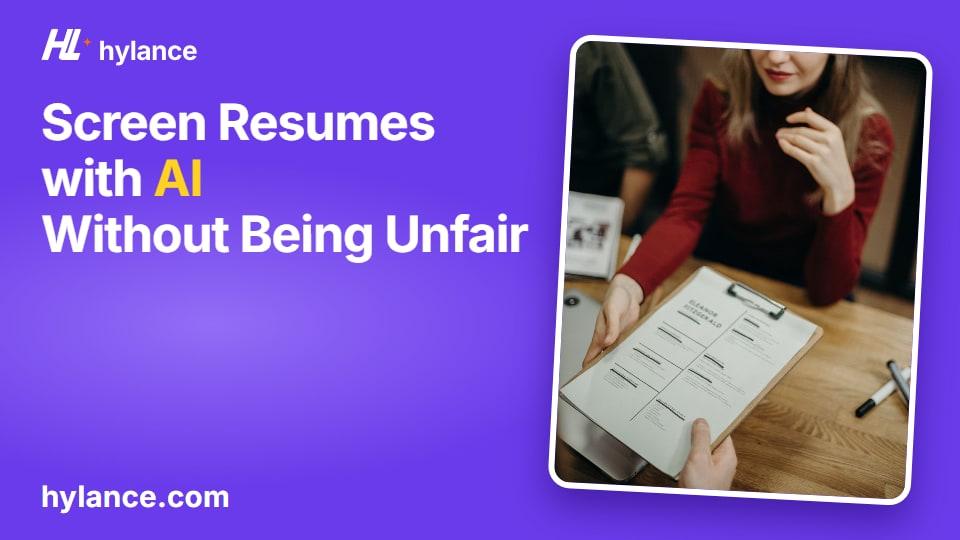
AI resume screening means giving the tool your job post and a written set of weighted criteria, so it can summarize each resume and place everything into one comparison table. Then you review the shortlist yourself and decide. The tool can save you hours of first-pass reading when dozens of applications come in for one opening, but it does not choose your employee for you. This guide is for a small business owner hiring their first employee in Saudi Arabia, the Gulf, or Egypt, and explains the process step by step with an example role.
Note: this is a practical guide for organizing screening, not legal advice or HR advice. Hiring rules and data protection requirements differ from one country to another, so check your local labor regulations before adopting any criterion.
Start with a clear job post before using any tool
A clear job post is half the screening work. If you write “seeking an energetic employee for various tasks,” you will get resumes that have little to do with the role, and no tool will be able to compare them properly. Write the post as if you are describing a real workday to someone who knows nothing about your business:
- Use a job title people recognize, not an internal title.
- List three to five real daily tasks, such as “replying to customer messages” or “preparing orders for shipping.”
- State what the applicant must already know from day one, and what you will teach after hiring.
- Clarify the work setup and schedule: on-site or remote, and the number of hours.
- Specify what you want in the application itself: a resume, a work sample if the role needs one, and an answer to a short question.
A short application question is extremely useful: “In three lines, explain how you would respond to a customer whose order is delayed.” That reveals writing and handling skills more clearly than two full pages of past experience.
Set 6 to 8 weighted criteria before reading any resume
Writing your criteria in advance protects you from liking a resume for reasons unrelated to the job, and gives the tool something specific to compare against. Choose 6 to 8 criteria, assign each one a weight so the total adds up to 100, and define what counts as “meets” and what counts as “partially meets” for each criterion.
The most important rule: every criterion must relate to the job itself. Do not use age, gender, nationality, photo, or marital status as criteria unless labor regulations require them for this specific role, and check your country’s labor rules on that point. Also tell the tool explicitly not to mention this information in the table and not to base any evaluation on it.
Example: criteria table for an e-commerce customer service coordinator
This is an imaginary example for a small store selling home products and hiring someone to reply to customers and follow up on orders. The weights here are only a sample to explain the idea; you should adjust them based on what matters most in your business:
| Criterion | Weight | What counts as “meets” |
|---|---|---|
| Written customer service experience (chat or email) | 20 | Previous work where the person directly responded to customers, even part-time |
| Quality of the application-question answer | 20 | A polite, clear answer that apologizes and states the next step |
| Order and shipping follow-up | 15 | Previous handling of order status, a shipping company, or returns |
| Strong written Arabic | 15 | The resume and answer are almost free of mistakes |
| Spreadsheet use | 10 | Mentions updating spreadsheets or preparing simple reports |
| Availability for the required schedule | 10 | States they are available during the posted hours |
| Basic English | 5 | Can read and reply to a short message |
| Example of solving a customer problem | 5 | Describes a real situation and its result |
Notice that every row can be checked against the resume or the application answer, and none of the rows are about how the person looks, their age, or where they are from.
What AI does well in screening, and where it gets things wrong
The tool is fast and organized at mechanical tasks, and weak when a decision needs human understanding. Know the difference so you use it only for what it does well.
- Good at: summarizing each resume in a few lines using the same format.
- Good at: extracting years of experience, role titles, and skills that are explicitly mentioned.
- Good at: comparing each resume against your criteria and putting the result in one table with a short reason for each field.
- Gets it wrong: judging the potential of someone early in their career whose experience looks limited on paper.
- Gets it wrong: reading between the lines, such as a work gap caused by family circumstances or experience gained in a family business that was not written using the expected wording.
- Gets it wrong: hidden bias, where it may favor a certain style of writing, certain university names, or common resume patterns without saying so.
- Sometimes gets it wrong: mentioning information that is not actually in the resume, so you should verify every important field against the original.
Steps for AI resume screening with human review
- Collect all applications in one place, and remove phone numbers and addresses before pasting them into the tool if you do not need them for comparison.
- Give the tool the job post and the criteria table, and ask for a table with one column per criterion, a score out of that criterion’s weight, and a line quoting from the resume what the score was based on.
- Tell it to write “not mentioned” when it cannot find the information instead of guessing.
- Sort the table by total score, but do not reject anyone based on the number alone. Look at applicants with a mid-range score who gave an excellent answer to the application question.
- Personally read every full resume on the shortlist, compare it with what the tool wrote, and correct any wrong field.
- Quickly review a sample of the rejected resumes to make sure the tool did not drop a strong candidate because of different wording.
- You decide who to contact for an interview, and write one criteria-based reason for each decision.
- After hiring is complete, delete the resumes you no longer need from your device and from the tool, and do not share applicant data with anyone outside the hiring purpose.
Common mistakes in AI screening
- Starting with the tool before writing the job post and criteria, so the “best” resume ends up being the longest or best formatted one.
- Letting the tool reject applicants on its own without a human reading the shortlist.
- Using criteria unrelated to the work, or allowing the tool to include age, nationality, or marital status in the table.
- Trusting every field in the table without going back to the original resume.
- Uploading full resumes with contact details to any tool unnecessarily, or keeping them for months after hiring is finished.
- Changing the criteria halfway through screening because one resume impressed you, which is unfair to the people evaluated before it.
When should you hire a freelancer on Hylance?
If you do not have time to write the job post and criteria, or you received more resumes than you can read yourself, you can order this as a ready-made service. At the time of writing, you can find on Hylance a service for writing a clear job post and screening criteria for around SAR 45 (about $12), and a service for screening up to 30 resumes in a comparison table with human review for around SAR 55 (about $15). The exact price appears on the service card. You send the files through the order chat inside the platform only, and receive the table there as well. The decision about whom to hire remains entirely yours.
You pay through your Hylance wallet, and the amount stays on hold until you confirm delivery. Before delivery, you can cancel the order and have the amount returned to your wallet. After delivery, you can open a dispute for the platform team to review if the work does not match what you agreed on. And if this is your first order on Hylance, you get 10% off.
AI Hiring Services on Hylance

AI-Written Job Ad and Applicant Screening Criteria with Human Review
- AI Services
- Recently added
- New service


Shortlist up to 30 resumes in an AI comparison table with human review
- AI Services
- Recently added
- New service
Frequently asked questions
Can I rely on AI to screen resumes?
You can rely on it to summarize resumes, extract experience and skills, and compare them against your criteria in a table, but it should not decide on its own. It is weak at judging a person’s potential and may carry hidden bias, so you should personally read every resume on the shortlist before making any decision.
What criteria should I use to screen job applicants?
Use 6 to 8 criteria tied to the work itself, each with a weight that adds up to 100. For example: experience in a specific task, a tool the employee will use every day, the language level the role requires, the answer to the application question, and availability for the required schedule. Do not include age, gender, nationality, photo, or marital status unless labor regulations require it for that specific role.
How do I protect applicant data when using AI?
Remove phone numbers and addresses before pasting resumes into the tool if you do not need them for comparison. Do not share applicant data with anyone outside the hiring purpose, and delete resumes you no longer need after hiring is finished.
Ready to put this into practice?
Browse AI Services services on Hylance and order what your business needs, with escrow that protects both sides. Or create an account and list your first service in minutes.