Customer Testimonial Video Guide
Learn how to collect a convincing customer video, what questions to ask, what to send the editor, and the typical editing cost on Hylance.
Key takeaways
- Ask your customer to film themselves on their phone in a quiet place and answer three short questions. A natural answer in their own words is the most convincing.
- Send the customer written questions plus five short filming instructions, and get clear written permission before you publish the video.
- The editor should cut the answer down to one minute or less, add captions, the customer’s name, and your logo at the end, without changing what they meant.
- On Hylance, customer testimonial video editing starts at about SAR 50 (about $13) at the time of writing.
To get a customer testimonial video that helps convince buyers, ask your customer to film themselves on their phone in a quiet place and answer three short questions: What problem did you have before working with us? What did you choose? What changed afterward? Then send the footage to an editor to trim it to one minute or less and add captions, the customer’s name, and your logo. On Hylance, customer testimonial video editing starts at about SAR 50 (about $13) at the time of writing.
This guide is for a small business owner, store, or service provider with happy customers but no visual proof to show it. A testimonial video here means a short clip where a real customer talks about their experience with you. It works well on a product page, in Reels, or at the top of a landing page.
Why is a testimonial video more convincing than a written review?
A visitor who does not know you will doubt what you say about yourself, but they are more likely to believe someone like them speaking with their own voice and face about their experience. A written review is easy to copy. A video shows a real person, with their tone and details. That is why one honest video can do more than ten generic compliments like “excellent service.”
Who should you ask, and when?
Ask for a testimonial from a customer who has received their order or completed service and is happy with it, within the few days right after delivery while the experience is still fresh in their mind. Choose:
- A customer who had a specific problem solved and can describe it in simple words, not someone who only says “excellent.”
- A customer who resembles the people you want to sell to: same age range, interests, and type of business.
- A customer who is comfortable on camera, because nervousness shows in video.
- More than one customer, so you can choose the best clip.
Questions that get a convincing answer
A general question gets a general answer. Send the customer a small set of written questions in advance so they can tell a short story:
- What problem or need did you have before working with us?
- Why did you choose us instead of someone else? What were you worried about before ordering?
- What did you notice first when you received your work or product?
- What changed in your business or life after that? And who would you recommend us to?
Do not write their answers for them or ask them to memorize anything. A response read from a paper is obvious from the first second. Their own words are more believable, even if they are not perfectly polished.
How can your customer film it on their phone with no experience?
Your customer is not a videographer, so give them short instructions they can understand in a minute:
- Sit in a quiet place away from the TV and the street, and face a window or a light source that falls on your face, not behind you.
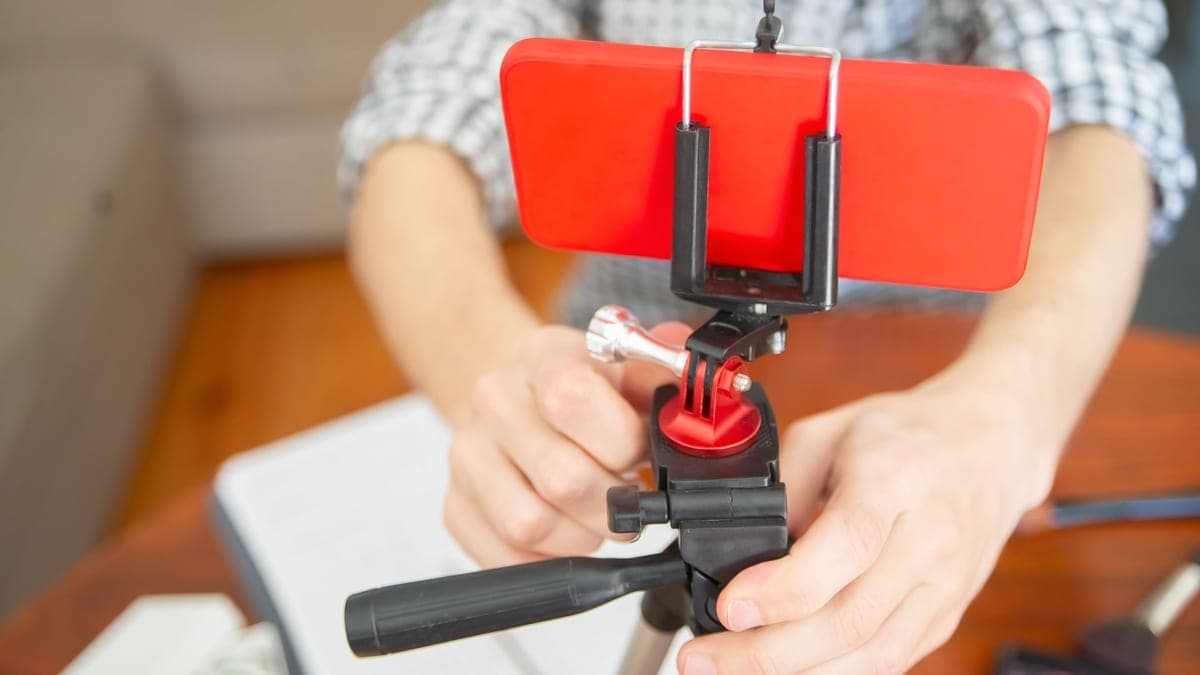
- Set the phone on something stable or lean it against a book. Do not hold it in your hand.
- Keep the front camera at eye level, and look into the camera, not the screen.
- Answer each question in two or three sentences. If you make a mistake, repeat the sentence and keep going.
- Send the file exactly as recorded, without beauty filters or compression apps.
Customer permission: do not publish without it
The video includes a person’s face, voice, and name, so get clear written permission from your customer before publishing it. The permission should mention where the video will appear: your page, your store, or a paid ad. Keep the message. If they later ask you to remove it, remove it. And do not pay someone for a testimonial or script what they should say, because a fake testimonial can hurt you if people discover it.
What should you send the editor, and what should the final video look like?
Send the editor the customer’s footage exactly as you received it, the customer’s name and what they want shown with it such as their business or city, your logo as a PNG, and the part you think is strongest if you already watched the clips. Here is a suggested structure for a 45 to 60 second video:
| Part | Approximate length | What appears |
|---|---|---|
| Opening | Up to 5 seconds | The customer’s strongest line as large text on screen |
| The problem | 10 to 15 seconds | What they were dealing with before working with you |
| The experience | 15 to 20 seconds | Why they chose you, and what they noticed when they received the result |
| The outcome | 10 to 15 seconds | What changed for them and their advice to others |
| Ending | 3 to 5 seconds | The customer’s name, your logo, and one call to action |
Ask for on-screen captions, because many viewers browse with the sound off, and one round of edits is usually enough. The most important condition: the editor should only cut silence and filler words, and should not stitch together phrases from different places in a way that changes the meaning.
Common mistakes that weaken a testimonial video
- A long video that repeats thanks and praise instead of telling a story.
- Weak audio or background noise, which makes the viewer leave before hearing the testimonial.
- Over-polishing the words until they no longer sound human. Honesty is stronger than perfection.
- Publishing the video without clear customer permission.
- Posting it without any next step, so the viewer does not know what to do next.
How much does customer testimonial video editing cost on Hylance?
The customer records on their phone at no cost, and you only pay for editing. At the time of writing, editing a customer testimonial video up to 3 minutes long, including cutting, captions, and your logo at the end, starts at about SAR 50 (about $13). Animated word-by-word captions for short videos start at about SAR 55 (about $15), and adding burned-in Arabic subtitles to a video up to 5 minutes starts at about SAR 40 (about $11). The exact price appears on each service card.
Services for customer testimonial videos

Customer testimonial video up to 3 minutes with subtitles and your logo
- Video & Animation
- Recently added
- New service

Animated word-by-word captions for 3 short videos
- Video & Animation
- Recently added
- New service
Embedded Arabic subtitles for a video up to 5 minutes
- Video & Animation
- New service
And when you order editing on Hylance, your payment stays on hold until you confirm delivery. Watch the full video with sound and without sound, and make sure the customer’s meaning has not been changed before you confirm.
Frequently asked questions
How long should a customer testimonial video be?
Ideally, under one minute, and no more than two minutes at most. The customer can record a longer answer, then the editor cuts it down to the strongest part: the problem they had, what they chose, and what changed after the experience.
Do I need the customer’s permission before publishing the video?
Yes. Get clear written permission from your customer to publish the video and specify where it will be published, then keep that permission on file. Do not publish a testimonial if you changed its meaning or edited it to make the customer say something they did not mean.
Is phone video good enough for a customer testimonial?
Yes, if the place is quiet, the light is in front of their face rather than behind them, and the phone is steady and shot horizontally or vertically based on where you plan to publish it. If the sound is weak or the video shakes, the editor may improve it to a point, but they cannot fully fix a badly recorded clip.
Ready to put this into practice?
Browse Video & Animation services on Hylance and order what your business needs, with escrow that protects both sides. Or create an account and list your first service in minutes.