Moodboard: Make One Before You Order Design
A moodboard helps a designer understand your style from the start. Learn what to include and how to build one in 30 minutes.
Key takeaways
- A moodboard turns words like “modern” and “luxurious” into visuals your designer can actually see, which means fewer revision rounds.
- Include 6 to 12 items: colors, fonts, photos, and similar design examples, with one line explaining what you liked about each one.
- Add two examples of what you do not want; that often gets you halfway there.
- A moodboard is for direction, not copying: do not ask for one design to be replicated exactly.
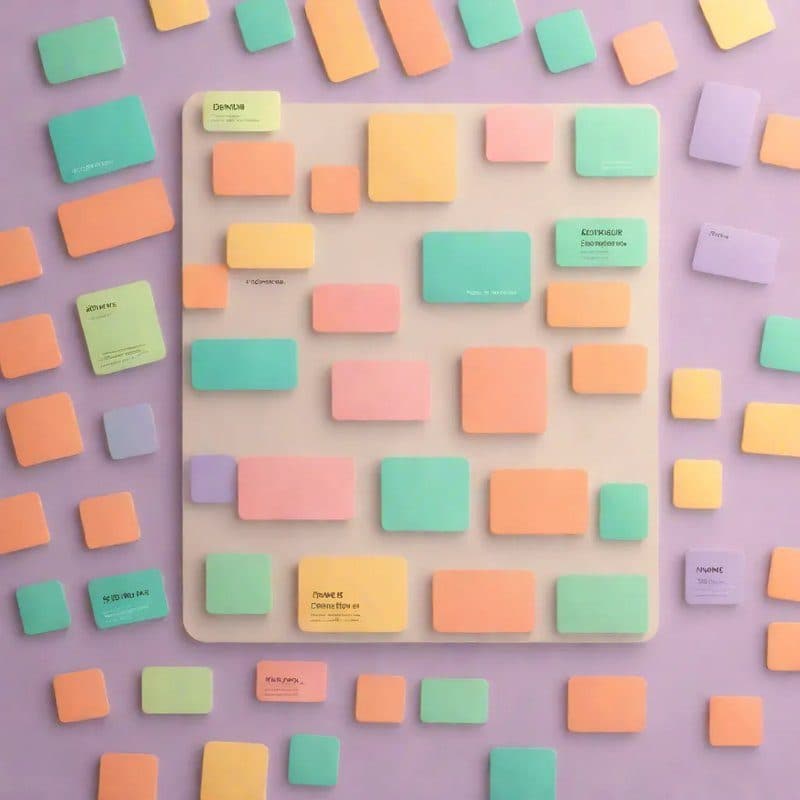
A moodboard is a single page where you collect things that resemble the design you have in mind: colors, fonts, photos, and examples of designs you like, with one line under each item saying what you liked about it. Put it together before you request any design work, because words like “modern,” “minimal,” and “luxurious” mean different things to different people, while a visual leaves less room for interpretation. Spending half an hour on it can save you two or three rounds of revisions.
Why does a moodboard reduce revisions?
The most common sentence after a first delivery is: “This is not what I pictured.” That happens because the designer worked from a written description and interpreted those words in their own way. A moodboard puts the picture in your head onto the page before the work begins, so if there is any disagreement, it happens over a board that can be adjusted in minutes, not over a design that took days.
What should you put in it?
- Colors: three to five colors you want to see, even if they are just cropped pieces from photos.
- Fonts: one or two examples of an Arabic typeface you like, from an ad, website, or product package.
- Photos: the photography style you want for your product, whether bright or dark, close-up or wide.
- Similar designs: posts, logos, or websites from your field or even a different one.
- Details: button styles, icons, decorative elements, and the way text is arranged.
- What you do not want: two examples of a style you dislike.
Under each item, add one short line: “I liked the calm colors,” or “I like this bold font for headings,” or “I do not want this crowded look.” Without that line, the designer may take something from the image that is not what you meant.
Build it in half an hour
- Write down three words that describe the impression you want.
- Quickly collect 20 images without overthinking them: from Pinterest, from accounts you follow, and from photos you took of packaging or signs you liked.
- Delete half of them: keep only what matches your three words and also feels consistent together.
- Arrange the rest on one page and write a one-line comment under each item.
- Add your two “I do not want this” examples in a clear corner.
The tool does not matter: a document, a slide deck, a Pinterest board you share, or one combined image. The designer may even build a more refined board after seeing yours, and that is part of their work on branding projects.
How do you send it with your order?
Attach the moodboard to your order message itself, along with the things images cannot say: what you sell, who you sell to, where the design will be used, and the required sizes and text. Also ask the designer to write two lines explaining what they understood from the board before they begin. If their understanding matches what you meant, you have already covered most of the distance.
| Without a moodboard | With a moodboard |
|---|---|
| “I want a modern, elegant design” | Six examples showing what you mean by modern |
| The designer guesses the colors | Specific colors are right in front of them |
| Disagreement appears after delivery | Disagreement appears before the work starts |
| “I do not know what is wrong, but I do not like it” | “This is farther from the third example on the board” |
Mistakes that mislead the designer
- Conflicting images: for example, a calm earthy-toned example next to a loud neon-colored one, without saying which direction is the main one.
- Thirty images with no comments.
- Asking to copy one exact design: a moodboard is for direction, and copying can create rights issues and leave you with branding that looks like someone else’s.
- Examples from brands with production and photography budgets you do not have: choose references that can actually be executed with the images and content you have.
- Changing the moodboard after the work starts: that is a new request, not a revision.
When is a small moodboard enough?
Not every request needs a full moodboard. For a single social post or flyer, two or three examples plus your brand colors may be enough. A full board is worth the time for work that repeats or stays around for a long time: a visual identity, a template for the month’s posts, or a storefront design. And if your brand already has an identity guide, send it with the board so the designer stays within it.
On Hylance, put all of that in the order message and attach the board with it, so it becomes your shared reference when the work is delivered. Your payment stays on hold until you receive the work and confirm that it matches what you agreed on.
Example: a moodboard for a honey store
- The three words: natural, warm, trustworthy.
- Colors: a honey tone, olive green, and cream.
- Font: a photo of packaging with its name written in a calm, bold Arabic typeface, with the note: “I like this weight for the headline.”
- Photography: three product photos on wood in natural light, with the note: “I want this warmth, not a white background.”
- A similar design: a social post for a coffee roastery, with the note: “I liked the empty space around the product.”
- I do not want: a crowded post full of stickers and red discount labels.
The example is hypothetical, but notice that every item comes with a reason. Anyone reading this board knows what is needed before asking a single question.
Design services that start with your moodboard
10 Social Media Posts in a Unified Brand Identity
- Graphics & Design
- New service

A5 Advertising Flyer or Brochure Design
- Graphics & Design
- New service
Logo, Colors, and Fonts Mini Brand Identity
- Graphics & Design
- New service
Frequently asked questions
What is a moodboard?
A moodboard is a one-page collection of images, colors, fonts, and design examples that express the direction you want. Designers use it to understand the mood and style before they start.
Do I need design software to make a moodboard?
No. You can collect images in a document, slide deck, or Pinterest board, or even in a photo folder with a notes file. What matters is choosing carefully and adding a comment to each item.
How many images should I put in a moodboard?
Six to twelve. Fewer than that is usually not enough to show a clear direction, and more can distract the designer with conflicting styles.
Ready to put this into practice?
Browse Graphics & Design services on Hylance and order what your business needs, with escrow that protects both sides. Or create an account and list your first service in minutes.